
Work schedule
Set your working days and hours once, and DownShift switches to your Work profile when they start and back to Personal when they end.
Turn it on
Go to Settings › Profiles › Work schedule and turn on Switch profiles on a schedule.
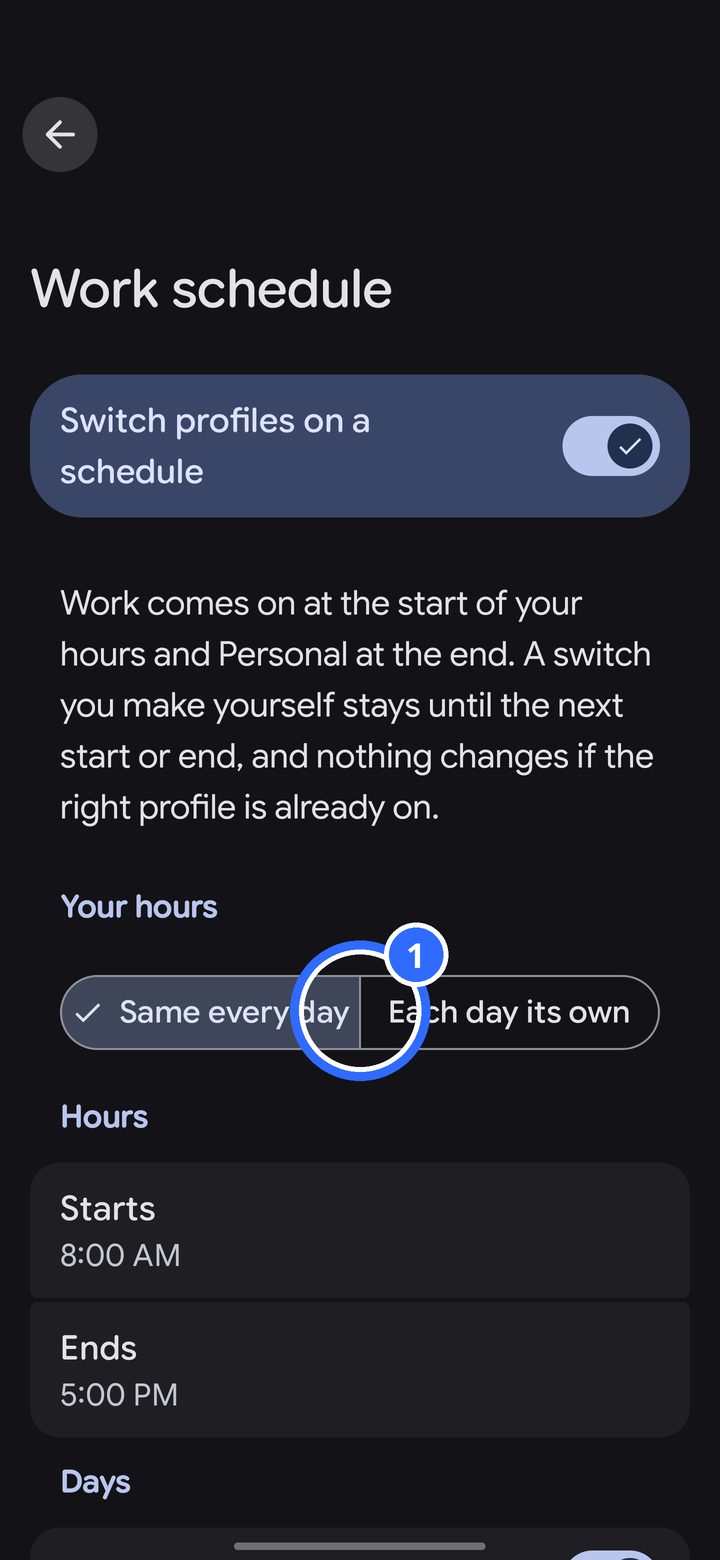
- First choose how your hours work: Same every day, or Each day its own.
Same hours every day
Set Starts and Ends once, then turn on the days you work.
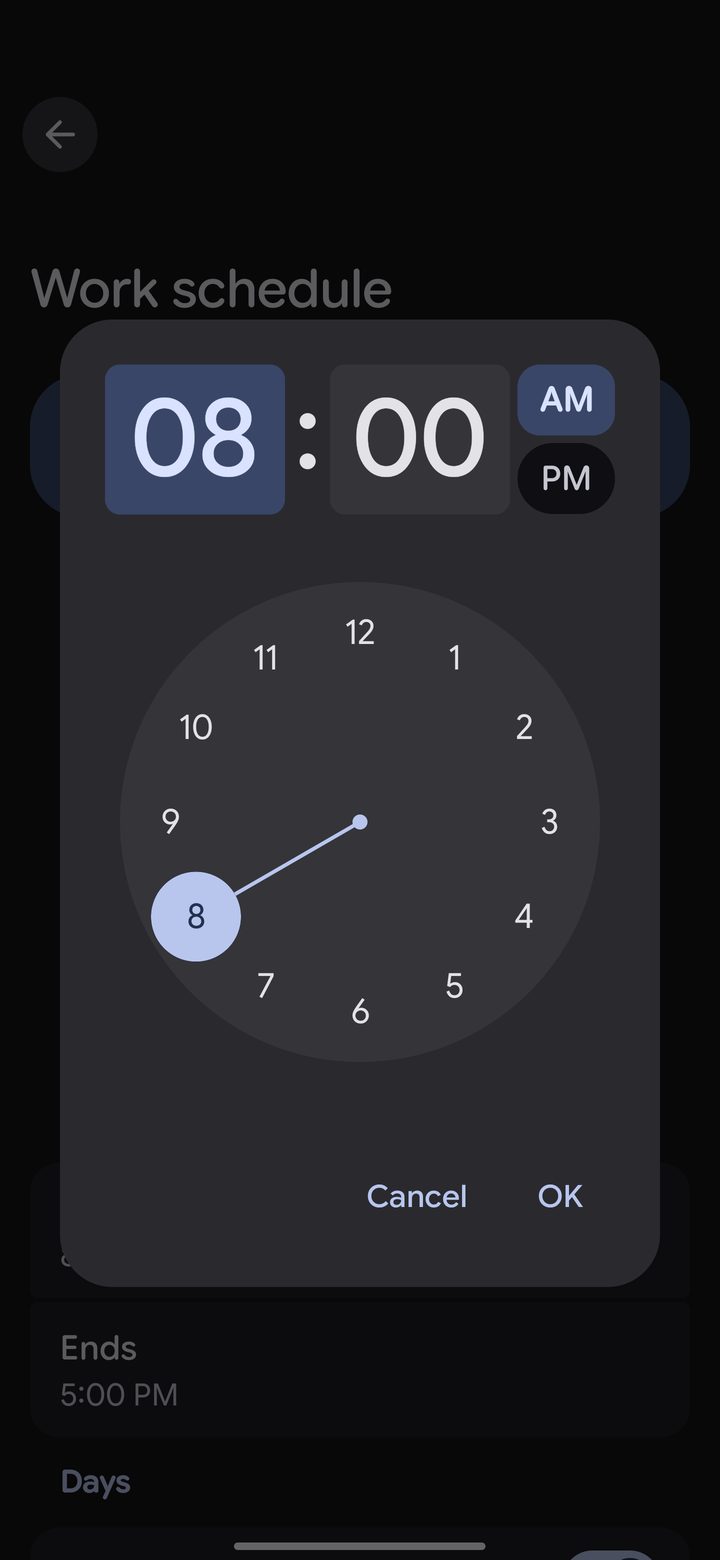
Tap a time to change it. If your hours end after midnight, set the end earlier than the start, and DownShift ends them the next day.
Each day its own
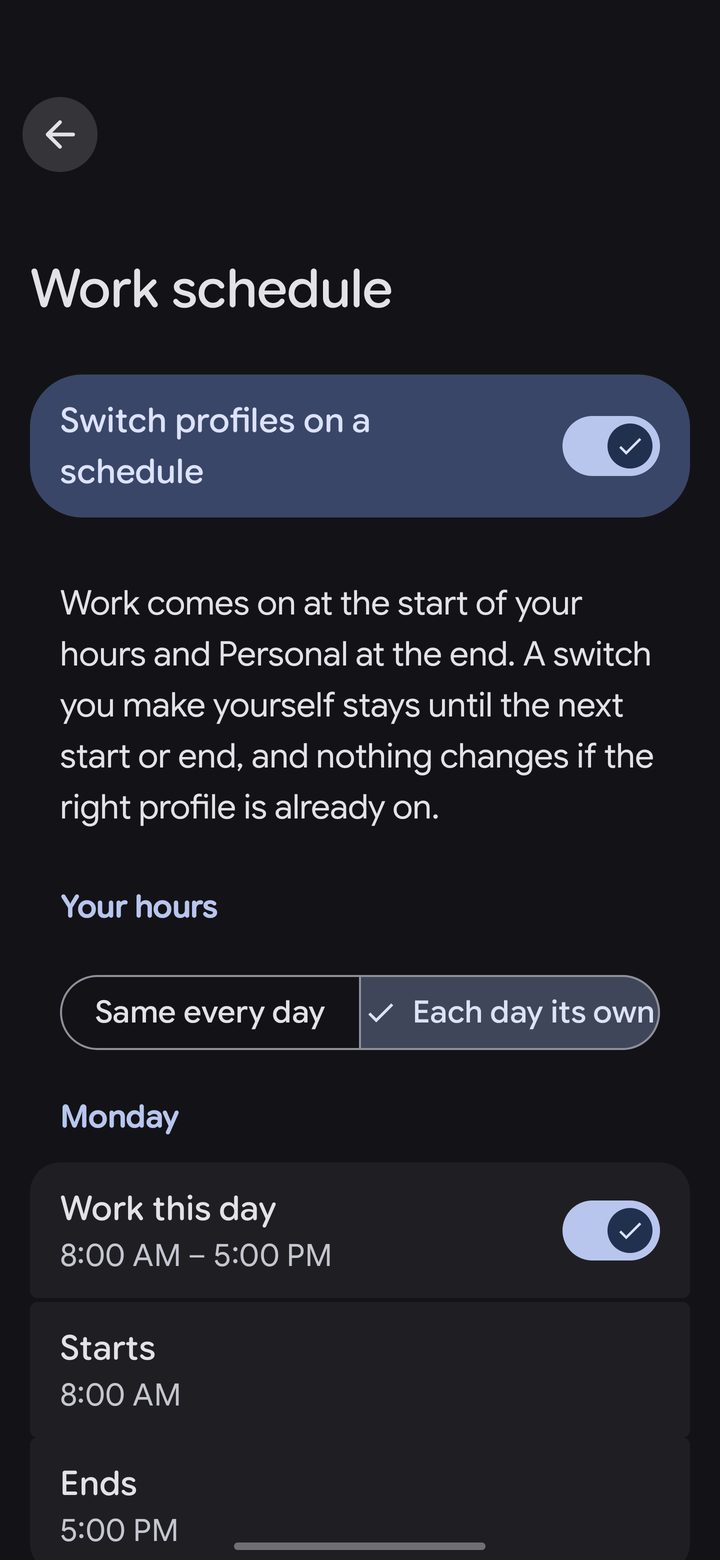
Every day has its own switch. Turn a day on and set its start and end.
How it behaves
- DownShift only switches at the start and end of your hours. If you switch profiles yourself in between, it stays that way until the next start or end.
- If you're already on the right profile when your hours start or end, nothing changes.
- If your Work profile is locked, a scheduled switch waits until you next open your home screen, then asks you to unlock first.
- For switches right on time, allow exact alarms if DownShift asks. Without them, a switch can come a few minutes late.