
Stacks and folders
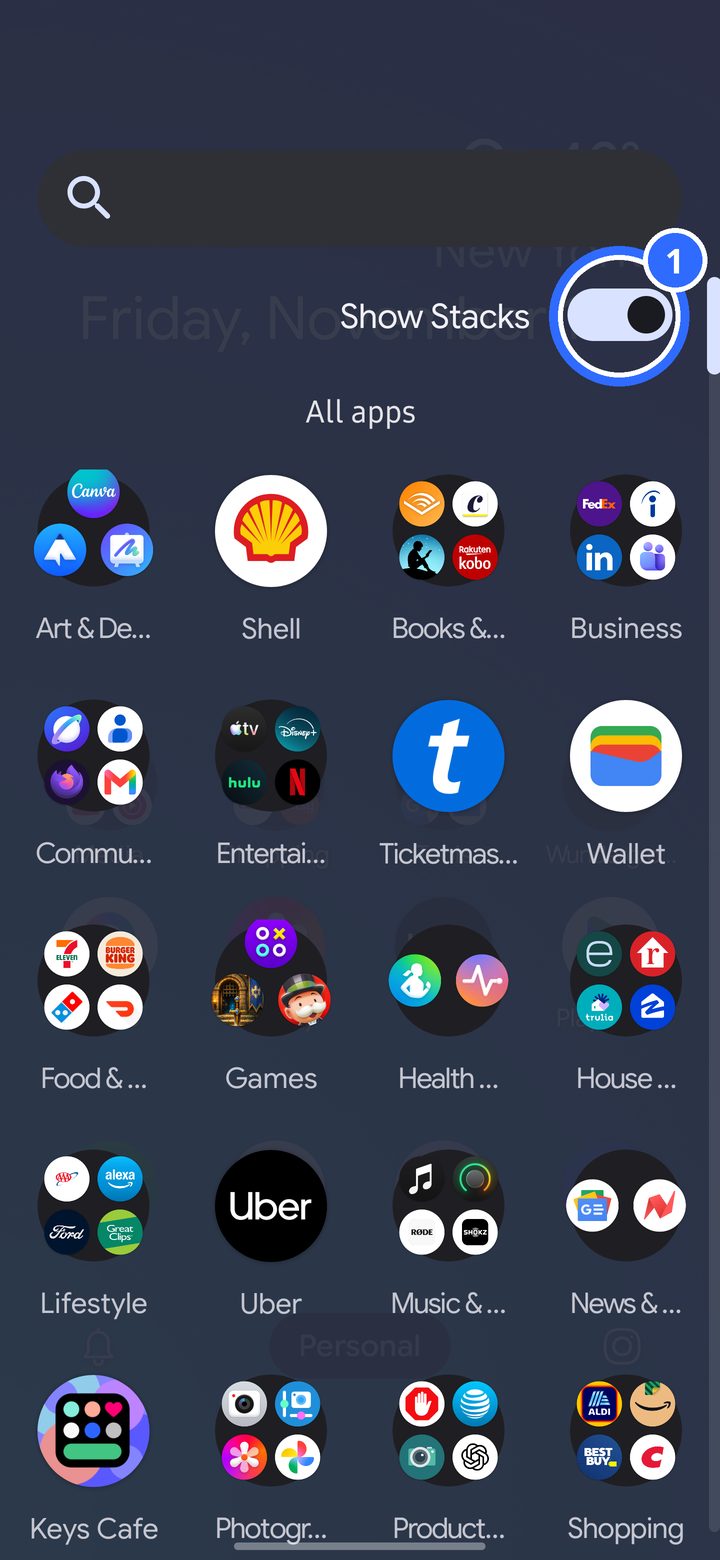
Swipe up from the home screen to open the app drawer.
- Show Stacks sorts your apps into folders by what they're for: Social, Games, Finance, Shopping and more. Turn it off for a plain A to Z list.
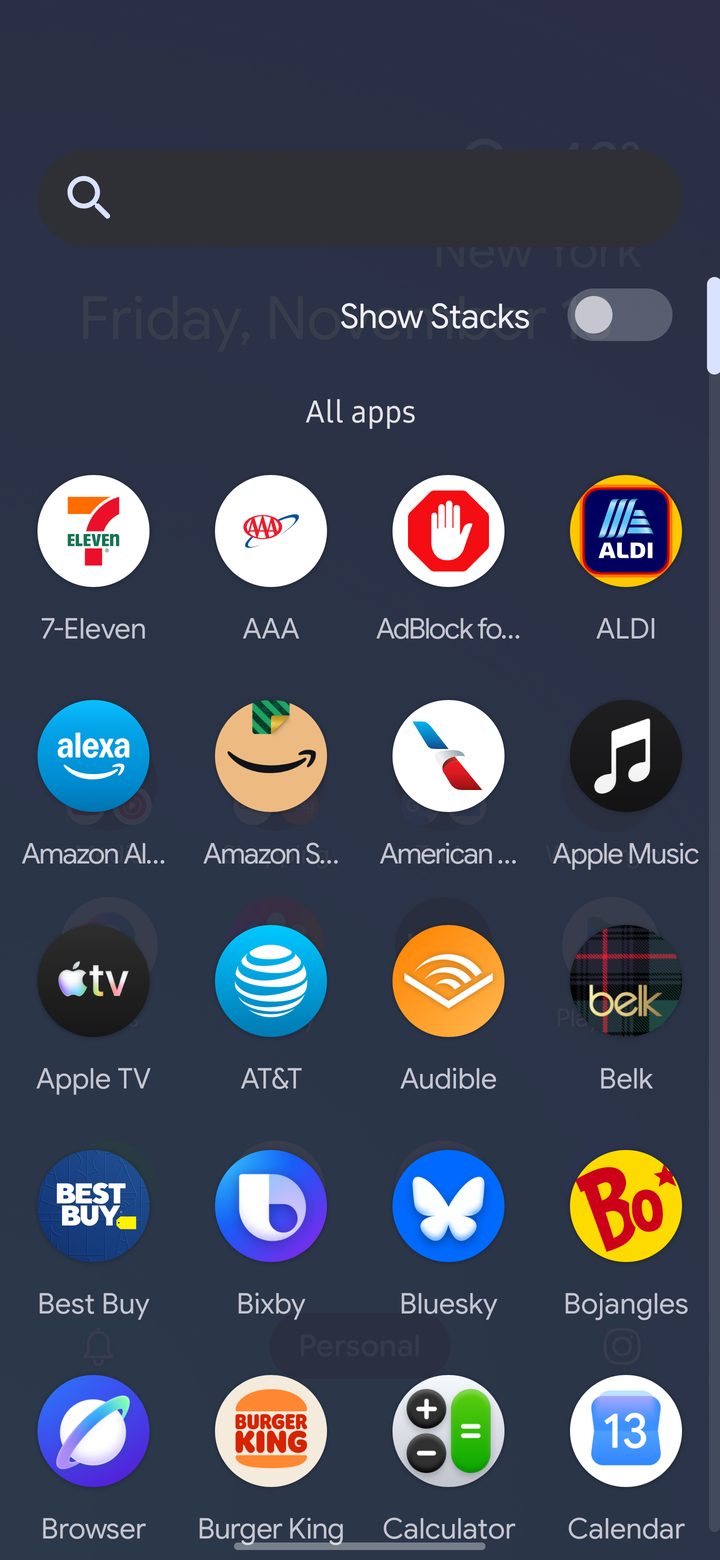
To move an app to another stack, or make your own, go to Settings › App drawer. DownShift remembers your changes even if you turn Stacks off.
Folders on the home screen
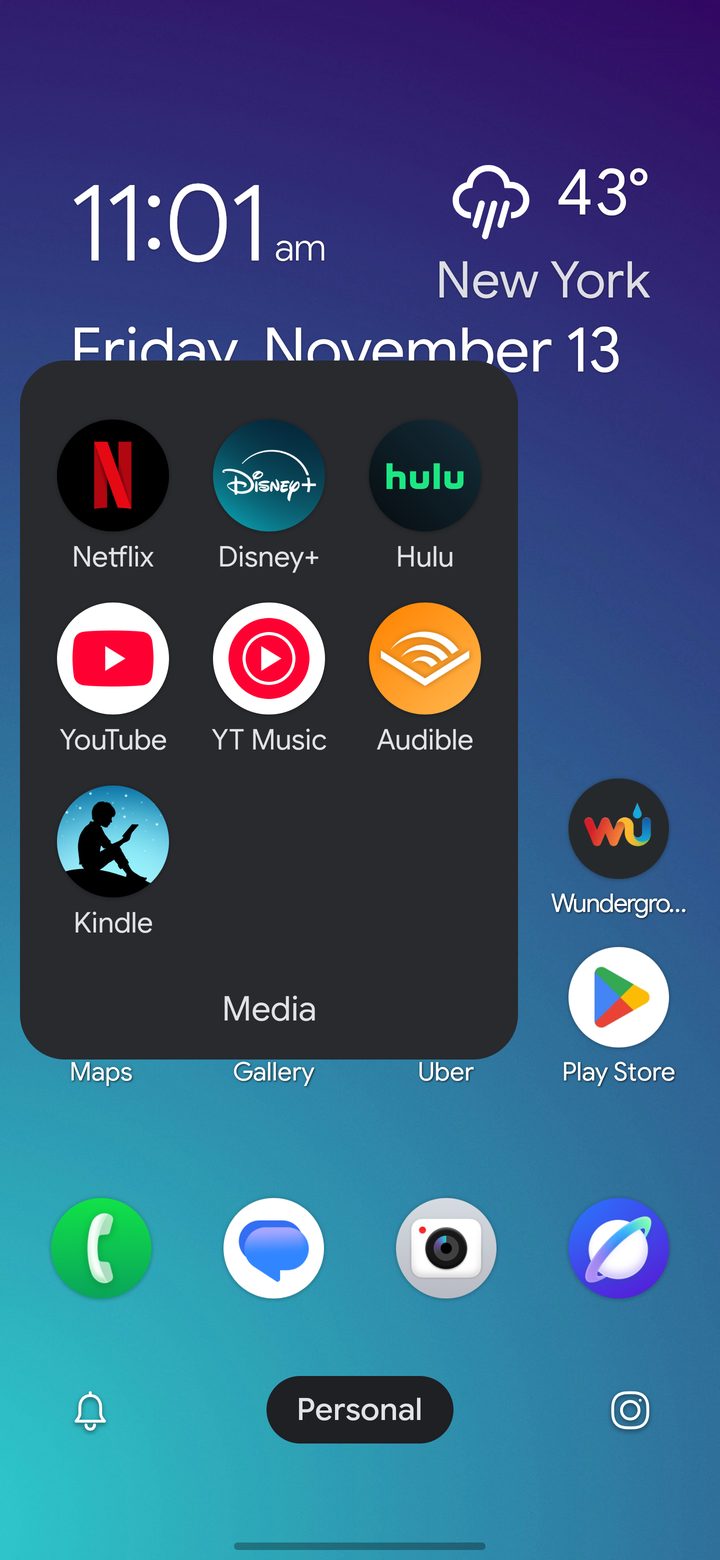
Drop one app on another to make a folder. Tap the name to rename it. Long folder names shrink to fit.