
Info Hub
The Info Hub is a page of cards to the left of your home screen: notifications, weather, calendar, notes and widgets.
Turn it on
Go to Settings › Home screen › DownShift Info Hub, turn on Show Info Hub, and use Card options to choose and order the cards.
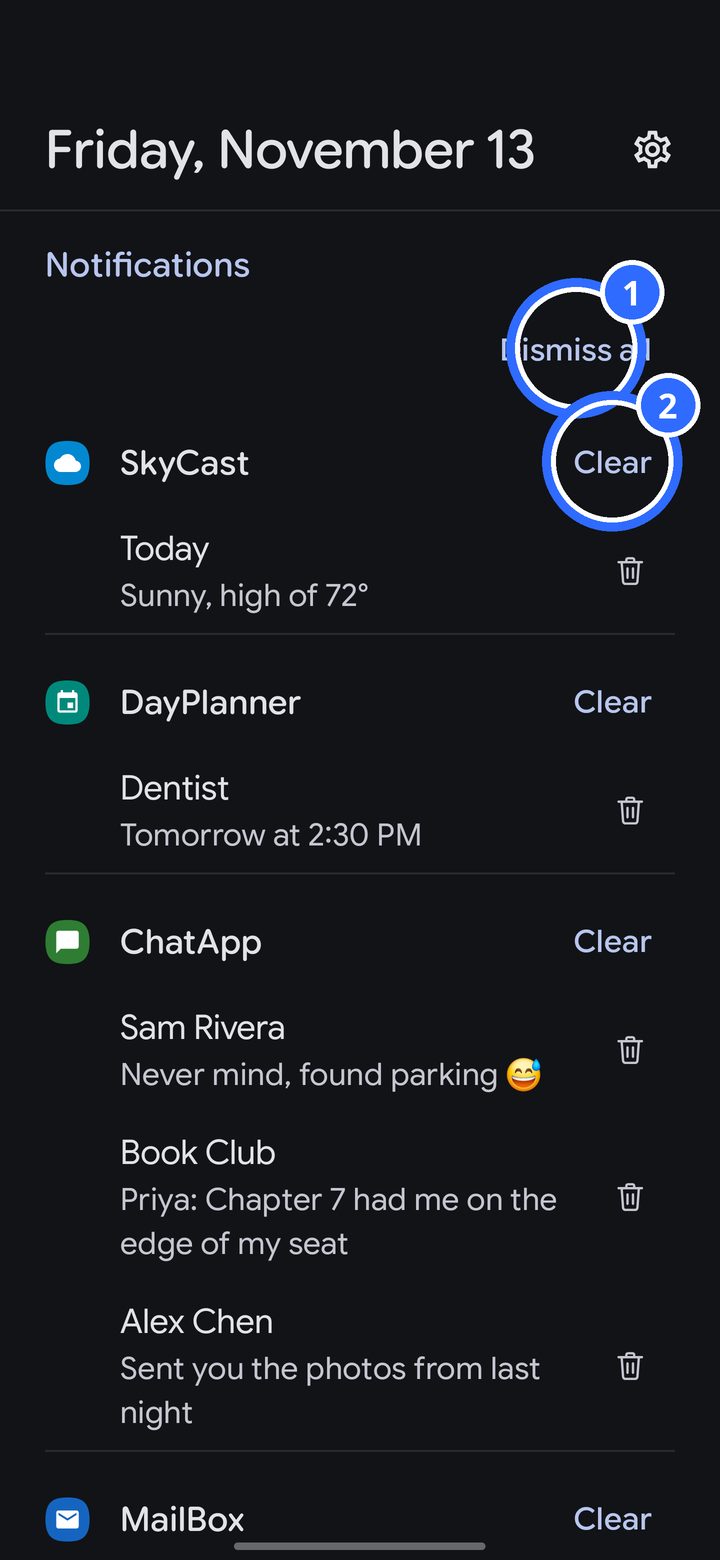
Swipe right from your home screen to open it.
- Dismiss all clears every notification on the card.
- Clear clears one app's notifications. The trash can next to a notification clears just that one.
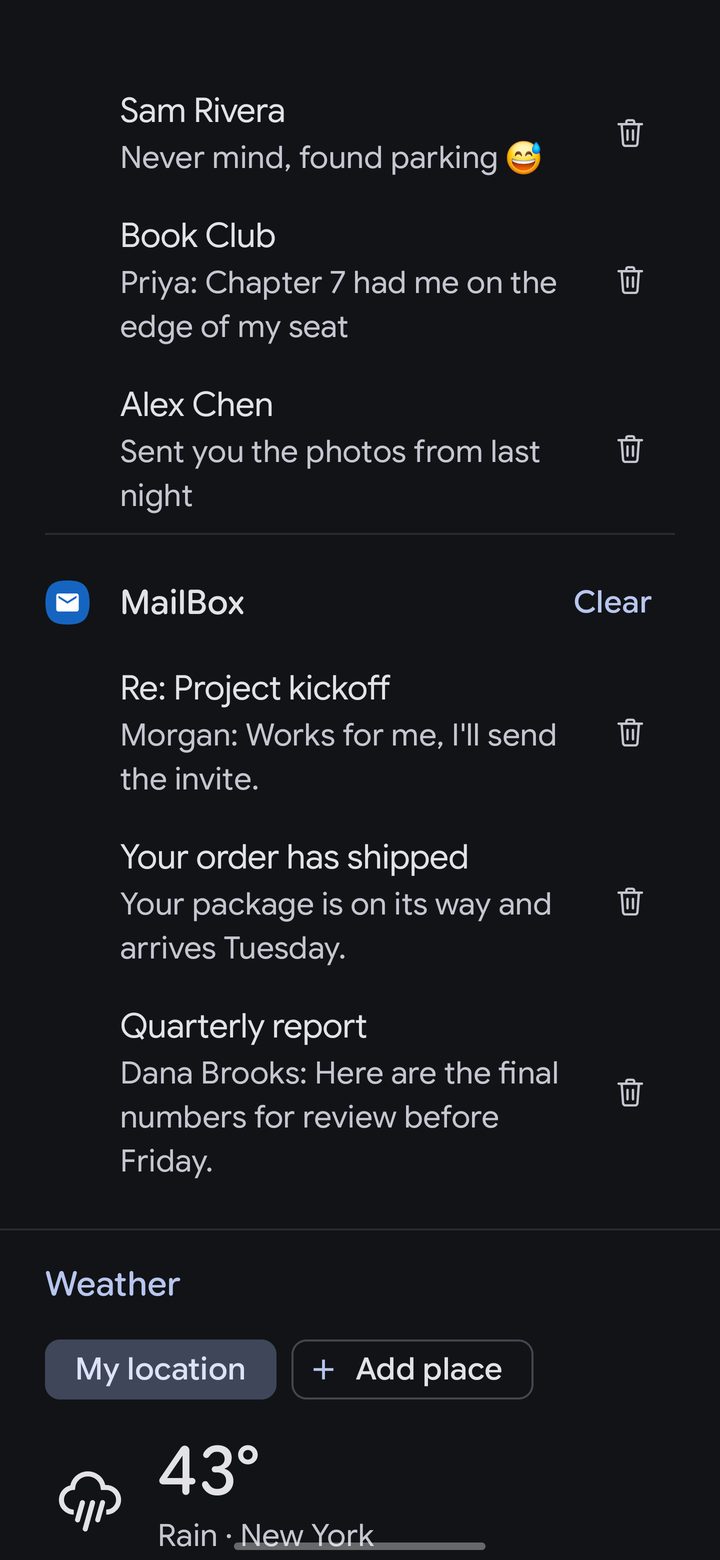
Further down are the weather, with saved places, your calendar, notes and any widgets you add. Swipe left to go back home.